Workflows › Meetings
Follow Up Email After a MeetingTurn Meeting Notes Into a Follow Up Email in Under a Minute
Walk out of a meeting with half sentences and a time with a question mark? Paste your notes under one prompt and get an email you can send today.
By Nate Brannock, working B2B sales rep and author

A Follow Up Email You Can Send Today
It Starts With Them
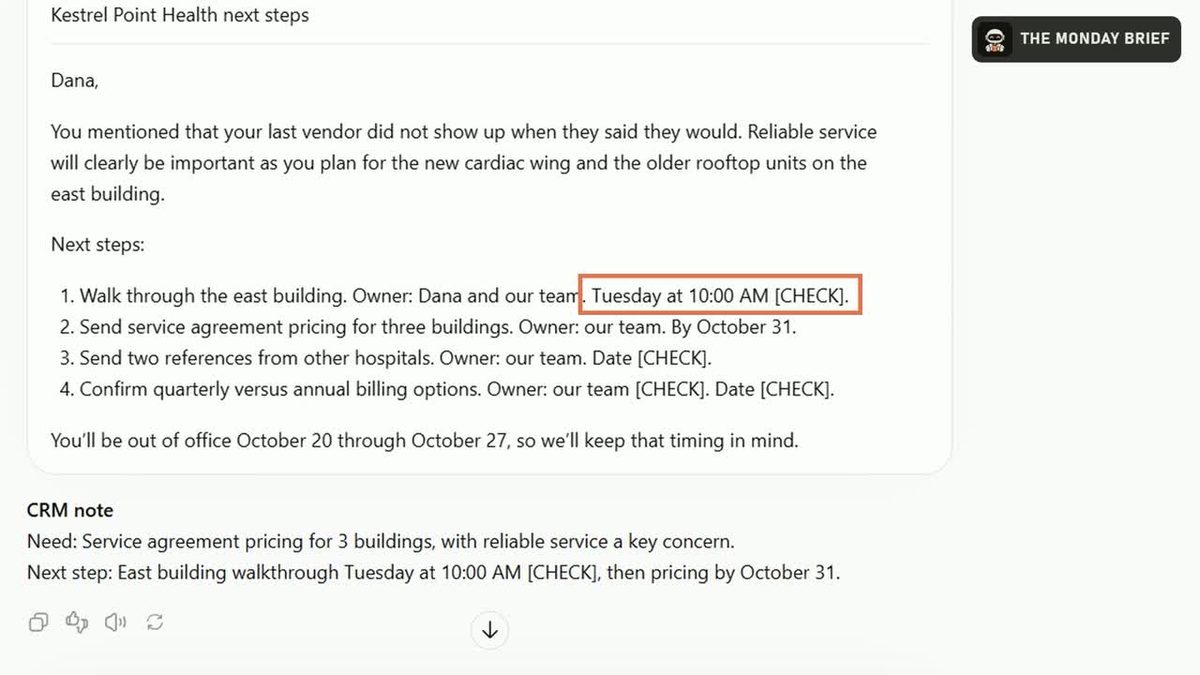
The email opens with something the buyer said in the meeting.
Every Next Step
Each step with who owns it and when.
A CRM Note
Two lines: what they need and the next step with a date.
Flags on Anything Unclear
Fuzzy parts of your notes get a [CHECK] so you fix them before sending.
How to Do It With Claude or ChatGPT
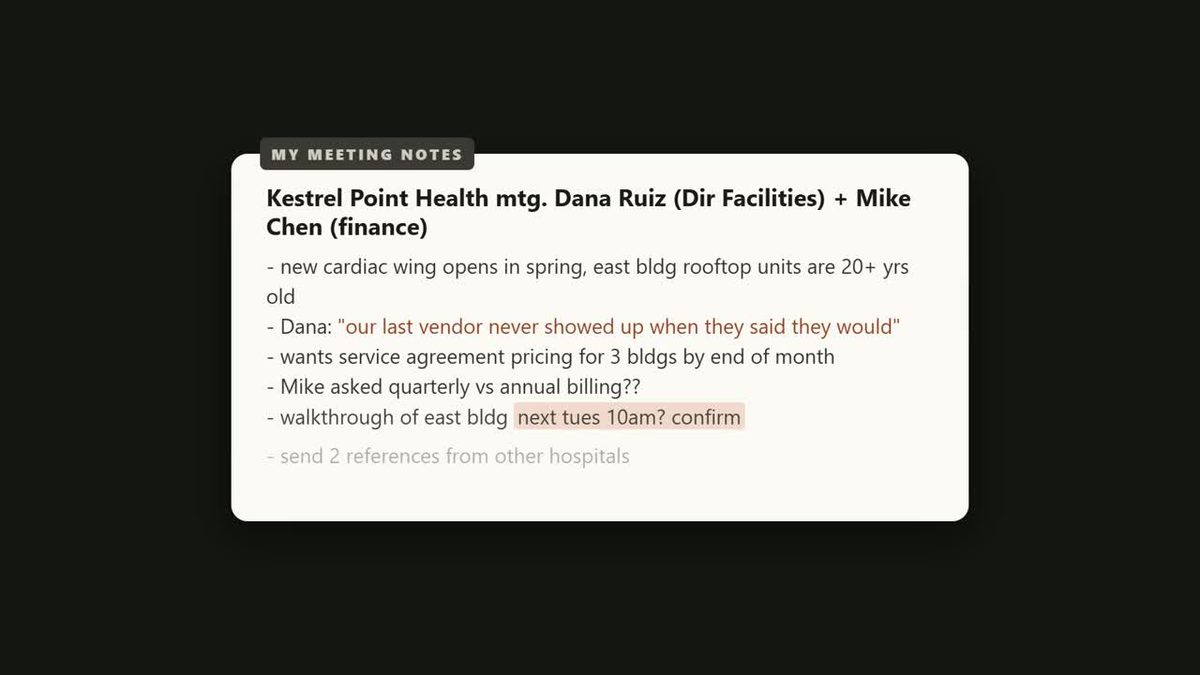
Grab your notes as they are
Half sentences and a time with a question mark are fine. That's what the prompt is for.
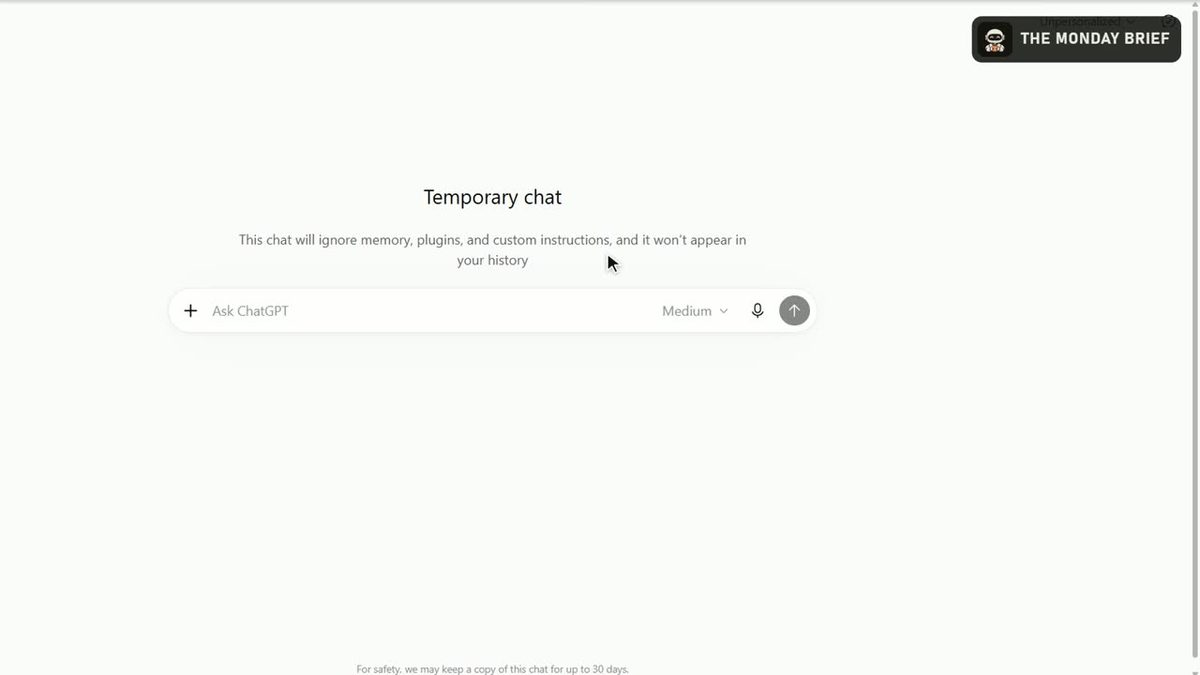
Open a temporary chat
In ChatGPT, turn on Temporary Chat so the notes stay out of your history. In Claude, use an incognito chat.
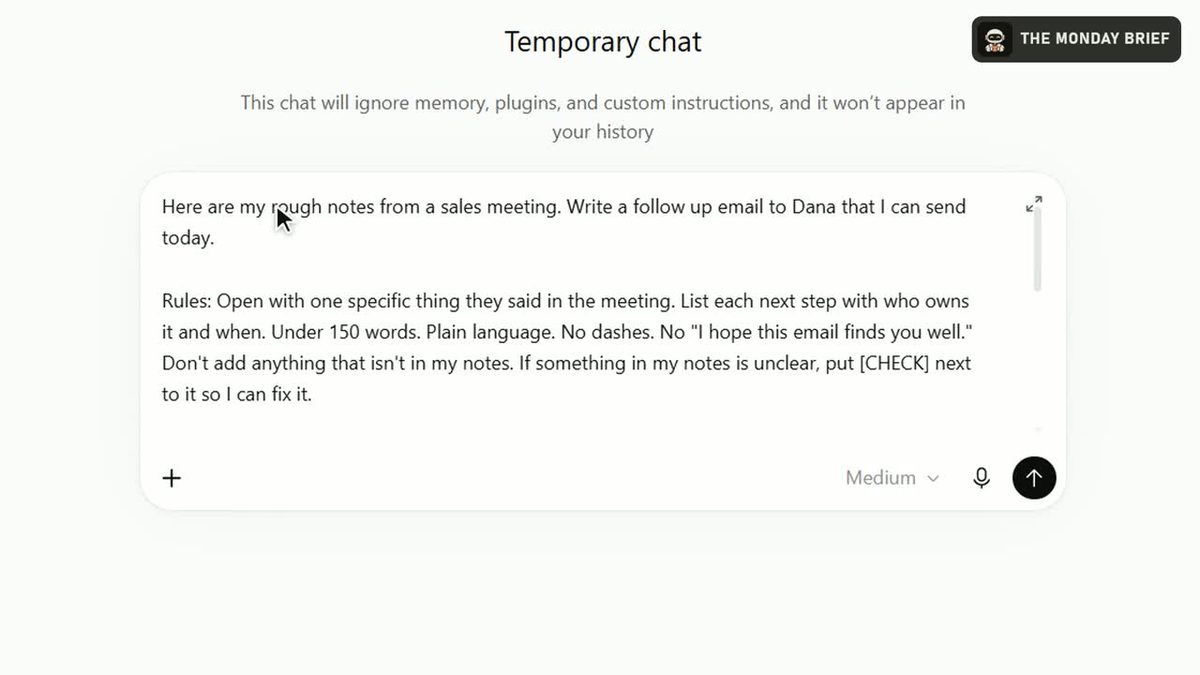
Paste the prompt, then your notes
Copy the prompt below, fill in the buyer's name and paste your notes underneath. Take out anything confidential first.
Check the flags and send
Confirm anything marked [CHECK], send the email from your own inbox and paste the CRM note into your tracker.
The Follow Up Email Prompt
Paste This Into ChatGPT or Claude
Here are my rough notes from a sales meeting. Write a follow up email to [name] that I can send today.

Rules: Open with one specific thing they said in the meeting. List each next step with who owns it and when. Under 150 words. Plain language. No dashes. No "I hope this email finds you well." Don't add anything that isn't in my notes. If something in my notes is unclear, put [CHECK] next to it so I can fix it.

Then, below the email, write a two line note for my CRM: what they need and the next step with a date.

My notes:
[paste your notes]
Pro tip: tap the microphone in ChatGPT and talk through your notes in the parking lot, right after the meeting.
Two Reasons Reps Keep Using It
It Proves You Listened
Opening with their own words shows the buyer you paid attention.
It Won't Guess
Anything unclear gets a [CHECK], so a wrong time or name never goes out under your name.
Get a New Workflow Every Monday
The Monday Brief: the AI news that matters to B2B sales, plus one workflow like this one. Five minutes, every Monday.
You're in.
The next Monday Brief lands in your inbox Monday morning. If you don't see it, check your promotions or spam folder and drag it to your inbox once.