Workflows › Outreach
Cold Email PromptA Cold Email Prompt That Makes AI Sound Like You
AI cold emails usually come out polished and generic. Give Claude or ChatGPT two emails you actually wrote, and it writes the next one the way you would.
By Nate Brannock, working B2B sales rep and author
A Cold Email in Your Own Voice
Your Voice
Your sentence length, how you open and how you ask for the next step.
Under 90 Words
Short enough to read on a phone between meetings.
One Real Reason
One specific reason you're writing, instead of a page of features.
One Easy Question
It ends with a question a busy buyer can answer in a few words.
How to Do It With Claude or ChatGPT
Start a private chat
Open Claude and start an incognito chat, or open ChatGPT and turn on Temporary Chat. It keeps your emails out of your chat history.
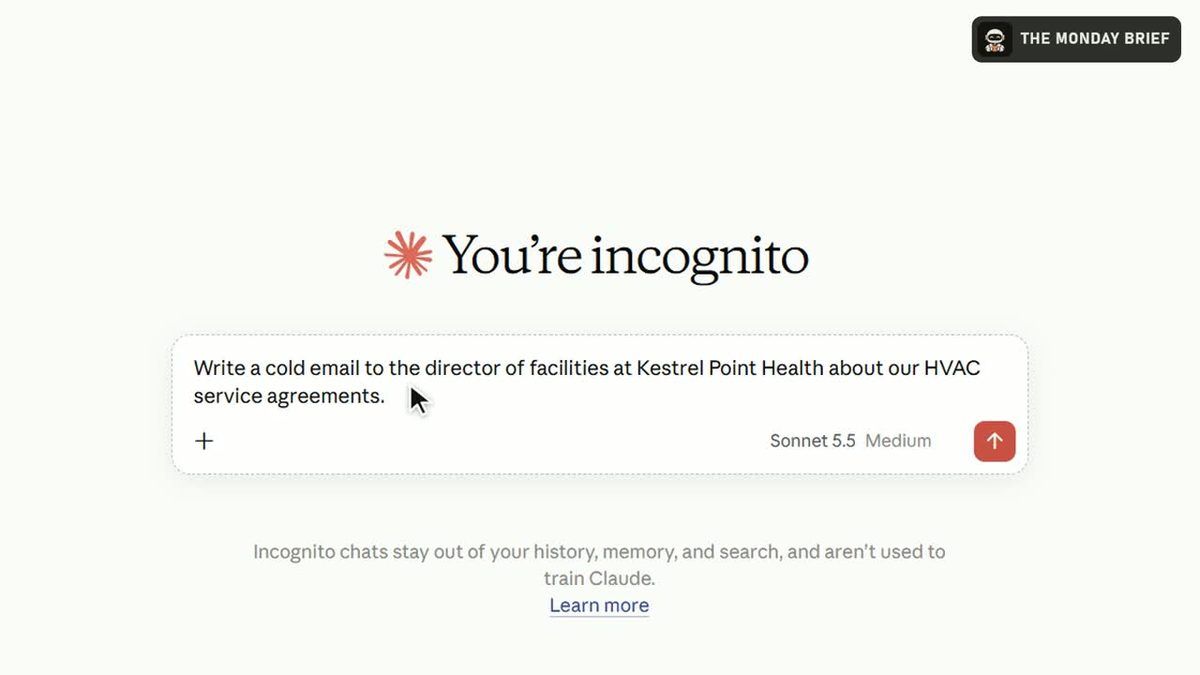
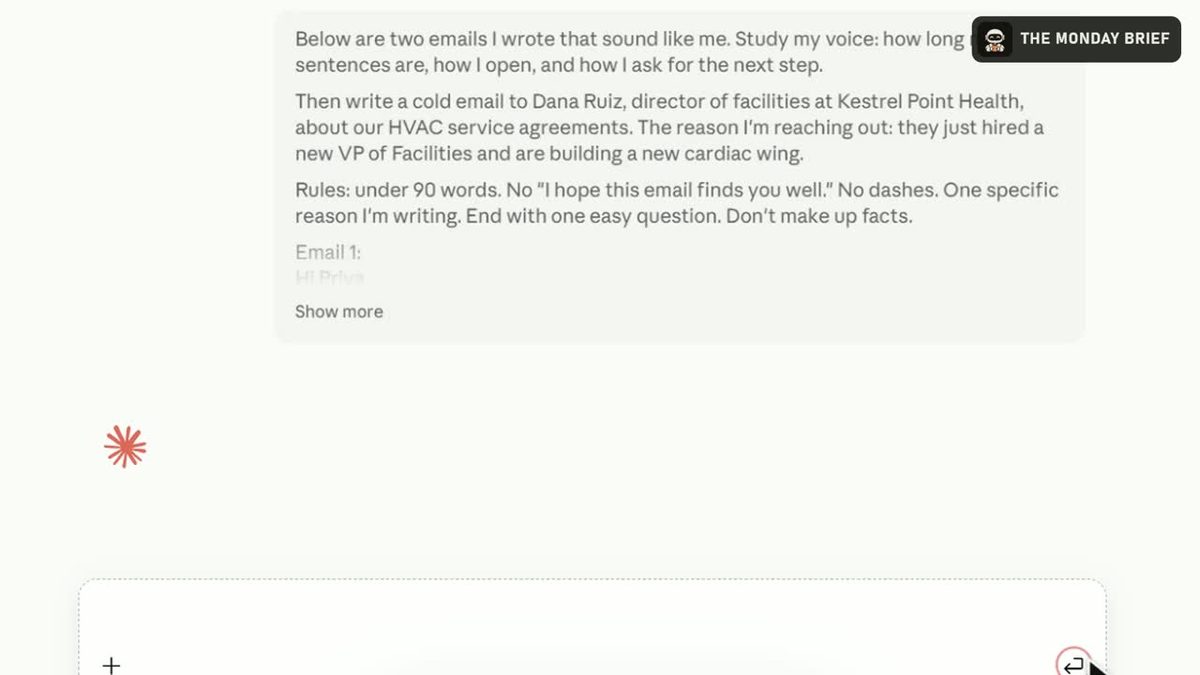
Paste the prompt with two of your emails
Fill in who you're writing to, what you sell and your one reason, then paste two emails you wrote underneath. Take out names and pricing first.
Read the draft
It matches how you write, keeps it under 90 words and tells you which parts of your style it copied.
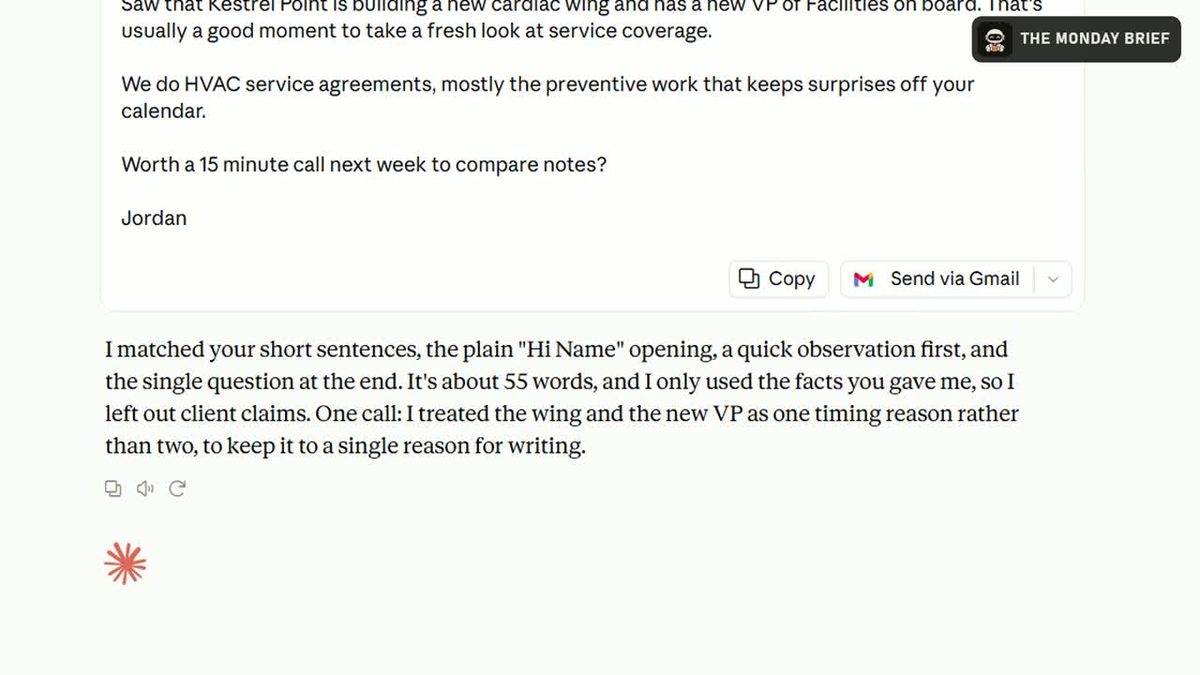
Make it yours and send
Fix anything that isn't true, read it out loud once, and send it from your own email.
The Cold Email Prompt
Paste This Into Claude or ChatGPT
Below are two emails I wrote that sound like me. Study my voice: how long my sentences are, how I open, and how I ask for the next step.

Then write a cold email to [name and title] at [company] about [what you sell]. The reason I'm reaching out: [one specific reason].

Rules: under 90 words. No "I hope this email finds you well." No dashes. One specific reason I'm writing. End with one easy question. Don't make up facts.

Email 1:
[paste an email you wrote]

Email 2:
[paste another email you wrote]
Pro tip: save your two emails in a Claude Project, so every new chat starts in your voice.
Two Reasons Reps Keep Using It
It Copies Real Writing
Two emails you wrote teach the AI your rhythm faster than any description of your style.
The Rules Cut the AI Tells
A word limit and a single question strip out the filler that makes AI emails easy to spot.
Get a New Workflow Every Monday
The Monday Brief: the AI news that matters to B2B sales, plus one workflow like this one. Five minutes, every Monday.
You're in.
The next Monday Brief lands in your inbox Monday morning. If you don't see it, check your promotions or spam folder and drag it to your inbox once.