The Monday Brief · Issue 7 · November 16, 2026
B2B Sales Reps - The 7 touch plan, with a Claude prompt for every touch
Happy Monday.
This one is different. It's the whole seven touch plan, start to finish, with a Claude prompt for every touch, mailed letters included.
Fair warning: this is for reps who want a very different year and will put in real work. Twenty five accounts take about 10 hours over eight weeks. If that's not you right now, save this for January.
In this email:- Three laws that explain why leads slip
- The first email: one real reason, one easy question
- The LinkedIn note that reads like a handshake
- A 20 second voicemail, plus what to say if they pick up
- The new angle email: give them something to think about
- The letter: 25 real letters in one afternoon
- The drop in: your 10 best accounts, one morning
- The last email: close the file, leave the door open
- Track all seven touches outside Claude
🗓️ The plan
Seven touches, 25 accounts, about 10 hours
| Touch | When | Time for 25 | Effort |
|---|
| Set up your thread | Day 1 | 45 min | Easy |
| 1. First email | Week 1 | 1 hr | Medium |
| 2. LinkedIn note | Week 1 | 30 min | Easy |
| 3. Voicemail and call | Week 2 | 90 min | Hard |
| 4. New angle email | Week 2 | 45 min | Medium |
| 5. Letter by mail | Week 3 | 2 hrs | Hard |
| 6. Drop in, your best 10 | Week 4 | 3 hrs | Hard |
| 7. Last email | Week 8 | 30 min | Easy |
About 10 hours over 8 weeks, or about 24 minutes per account.
🧭 Before you start
Three laws that explain why leads slip
Time and effort: Day 1. About 45 minutes, once. Effort: easy.
Most reps don't lose leads because they're lazy. They lose them because the lead lives in their head, on a sticky note or in last month's email.
Three old laws explain it pretty well.
Let me explain.
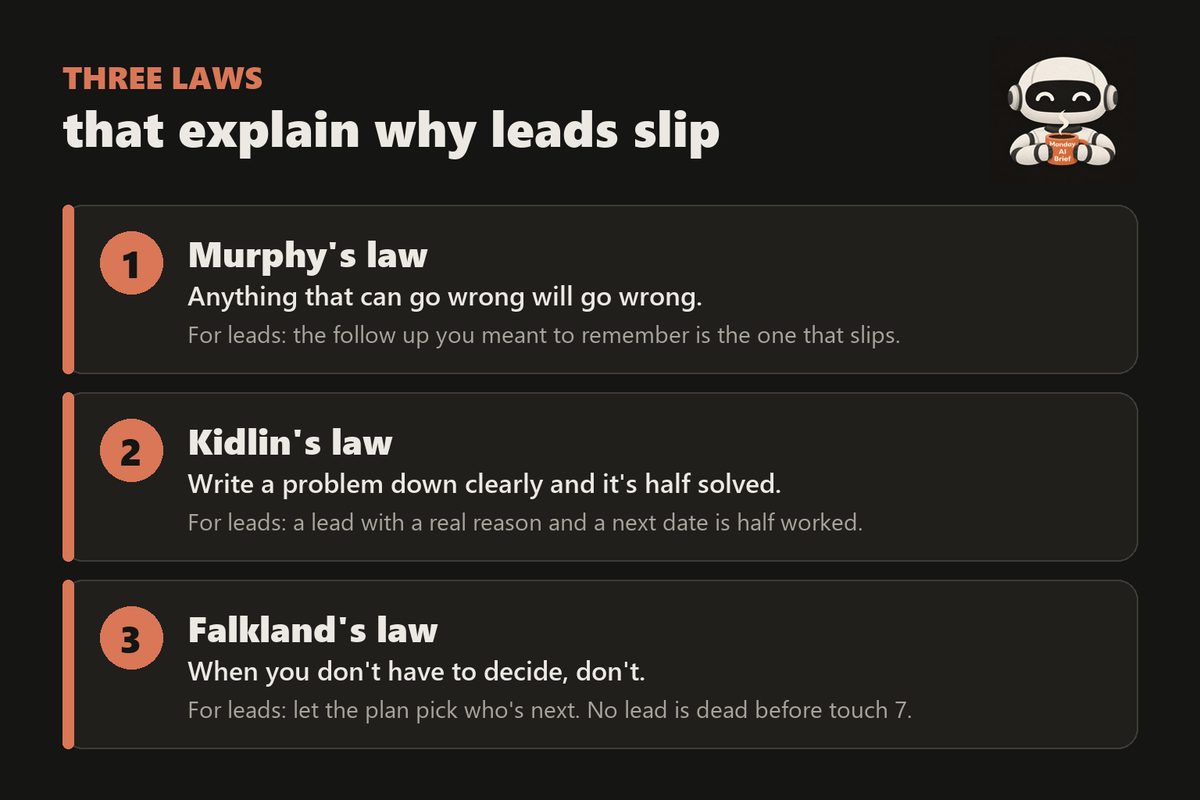
Murphy's law: anything that can go wrong will go wrong. The follow up you planned to remember is the one that slips, usually on your best account.
Kidlin's law (that's what the internet calls it): when you write a problem down clearly, it's half solved. A lead written down with a real reason and a next date is half worked.
Falkland's law: when you don't have to make a decision, don't. Don't decide every morning who to call, and don't decide a quiet lead is dead. The plan decides for you until touch 7.
- In Claude, click Projects in the left sidebar, then + New Project. Name it "7 touches" plus the month.
- Click Set project instructions and paste your About Me file, so every draft sounds like you. No instructions box on your plan? Paste it at the top of your first chat instead.
- Start a chat in the Project, click the + in the chat box and make sure Web search is on.
- Paste the setup prompt below with your 25 accounts. Use this same chat for all seven touches.
I'm a B2B sales rep and I'm about to work 25 accounts through seven touches over about eight weeks. Keep this chat as my working file for this list.

What I sell: [one line]
Who I sell to: [their role] at [type of company] around [your area]

First, search the web and turn my list into a lead card for each account: company, contact and role, one real reason to reach out now (a new location, a hire, an expansion or a project), the source link for that reason, the touch they're on and the date of their next touch. If you can't find a real reason from the last 90 days, write "no reason yet" instead of guessing. Show it as a table.

My list: [company, contact, title, email, street address, city, one per line]
Here's the trick: keep all seven touches in this one chat. By touch 7, Claude can read everything you already sent and won't repeat it.
Quick safety rules
- Company names and public news are fine. Keep client pricing and private notes out.
- Use a Claude account your company allows for prospect work.
Get all seven prompts as one thread (free PDF)
Falkland's law comes from Lucius Cary, Viscount Falkland, in 1641: "When it is not necessary to change, it is necessary not to change."
📧 Touch 1 · Week 1
The first email: one real reason, one easy question
Time and effort: Week 1. About 1 hour for 25, mostly you making each draft true. Effort: medium.
Most first emails are about the rep. This one is about one real thing at their company, then a question they can answer in five seconds.
- Paste the prompt below into the same chat.
- Read every draft out loud. If one doesn't sound like you, tell Claude what to change.
- Send them yourself through the day, a few at a time.
- Log touch 1 in your tracker.
Touch 1. Write the first email for each lead card in this chat. Keep each one under 90 words.

Open with their real reason, say what I do in plain words, and end with one yes or no question: am I talking to the right person for [your area] at their company? No "I hope this finds you well," no links and no attachments.

Skip any lead marked "no reason yet" and list the ones you skipped at the end.
Here's the trick: a yes or no question gets more replies than a meeting ask. "Are you the right person?" is easy to answer, even with a no.
Insurance and payroll reps, this one's for you. Owners get pitched all day. A note about their new location and a question about who handles it stands out.
🤝 Touch 2 · Week 1
The LinkedIn note that reads like a handshake
Time and effort: Week 1, two days after the email. About 30 minutes for 25. Effort: easy.
Connect a couple of days after your email, so your name looks familiar when they see it again. No pitch in the note, ever.
- Copy each person's LinkedIn headline into the chat if you have it.
- Paste the prompt below.
- Send each request with its note. Not on LinkedIn? Mark the touch N/A in your tracker and move on.
- If they accept, don't pitch in a message. The next touch does the work.
Touch 2. Write a LinkedIn connection note for each lead in this chat, under 200 characters each. Mention one thing about their company or their role.

No pitch, no meeting ask and no "I'd love to pick your brain." If I pasted someone's headline below, use it.

Headlines: [optional, one per line]
Here's the trick: free LinkedIn accounts only get a few invites with a note each month. Save the notes for your best accounts and send the rest without one.
IT services and staffing reps, this one's for you. Your buyers live on LinkedIn. A connection this week means they know your name when you call next week.
📞 Touch 3 · Week 2
A 20 second voicemail, plus what to say if they pick up

Time and effort: Week 2. About 90 minutes for 25 calls. Effort: hard, mostly nerves.
Most calls go to voicemail, and that's fine. A short voicemail that asks the same question as your email ties your name together.
- Paste the prompt below with your phone number.
- Say the opener out loud twice before your first call.
- Make all 25 calls in one block.
- Log every call, voicemails included.
Touch 3. For each lead in this chat, write a voicemail under 20 seconds that asks the same question as my first email and says my number twice: [your phone].

Then give me a three line opener in case they pick up, plus the two objections I'm most likely to hear from [their role], each with a short, honest answer. Plain words, nothing pushy.
Here's the trick: say your number twice and slowly. People reach for a pen the first time and write it down the second.
Freight and logistics reps, this one's for you. Shippers still pick up the phone. Have both objection answers in front of you before you dial.
💡 Touch 4 · Week 2
The new angle email: give them something to think about
Time and effort: Week 2, a few days after the calls. About 45 minutes for 25. Effort: medium.
Touch 4 brings something new instead of "just following up." It names a problem companies like theirs run into and offers something small and useful.
- Fill in the season or deadline that matters in your world, then paste the prompt below.
- Check every problem it lists against what you know is true, and cut anything that sounds made up.
Touch 4. List the problems [their kind of company] usually runs into around [season or deadline] that [what I sell] helps with. Pick the one that fits each lead best.

Then write a short email for each lead, under 100 words, about that problem, with one small useful offer like a one page checklist or a rough budget. Don't repeat anything from touch 1, and don't write "just following up."
Here's the trick: the offer should take you 10 minutes to send, like a one page checklist or a rough budget. Small offers get yeses.
Janitorial and facility services reps, this one's for you. Flu season and winter floors give you a real reason to write in November.
✉️ Touch 5 · Week 3
The letter: 25 real letters in one afternoon

Time and effort: Week 3. About 2 hours for 25, printing and stamps included. Effort: hard.
Very few reps mail a real letter anymore, which is exactly why it works. With a mail merge, 25 personal letters take one afternoon.
- Paste the prompt below. When the table is done, ask Claude for it as a CSV file you can download.
- In Word, click Mailings, then Start Mail Merge, then Letters. Click Select Recipients, then Use an Existing List, and pick your CSV.
- Place the fields with Insert Merge Field, then click Finish & Merge, then Edit Individual Documents, and print.
- Sign every letter by hand and add a short handwritten P.S.
Touch 5. Write a one page letter for each lead in this chat, in my voice. Open with a paragraph about their company and their real reason, then two short paragraphs on how I help [their role], then a P.S. with my cell number: [your phone]. Keep each letter under 250 words.

Then put them all in one table I can mail merge, with these columns: First name, Last name, Company, Street, City, State, ZIP, Opening paragraph, Middle paragraphs, P.S. If an address is missing, write "MISSING" instead of guessing.
Here's the trick: hand address the envelopes if you can. A printed label looks like junk mail, and handwriting gets opened.
Bonus: the same table works for 250 letters. Print and stuff them in one sitting, then log touch 5 for everyone at once.
Commercial insurance and janitorial reps, this one's for you. Owners and property managers open real mail. A letter about their building, signed in ink, gets read.
Quick safety rules
- Check every address. Claude marks missing ones "MISSING" instead of guessing.
- Never mail anyone who asked you to stop.
🚪 Touch 6 · Week 4
The drop in: your 10 best accounts, one morning

Time and effort: Week 4. About 3 hours for your 10 best, plus 15 minutes for the emails after. Effort: hard.
Showing up in person beats everything else on this list, so save it for the 10 accounts you want most. Bring a one pager with a sticky note: "Sorry I missed you."
- Paste the prompt below with your 10 addresses and where you'll start.
- Check the order in your maps app before you drive.
- In the parking lot after each stop, talk your notes into your phone.
- Paste those notes back into the chat for the "Stopped by today" emails.
Touch 6. I'm dropping in on these 10 leads from this chat. Put them in a sensible driving order starting from [your start address], grouped so I can finish in about three hours. For each stop, give me one line to say at the front desk and one line for my sticky note.

After my visits I'll paste my notes. Then write a "Stopped by today" email for each stop, under 70 words, that mentions who I spoke with and what I left.
Here's the trick: ask the front desk who handles [your area], then write that name on the sticky note. Now you know exactly who to call.
Staffing and janitorial reps, this one's for you. The front desk knows who signs, and they remember the rep who was nice to them.
📁 Touch 7 · Week 8
The last email: close the file, leave the door open

Time and effort: About a month after the drop in. About 30 minutes for 25. Effort: easy.
This is where Falkland's law pays off. You didn't decide early that a lead was dead, so now you close the file honestly, and people often reply when the door is about to close.
- Paste the prompt below into the same chat, so Claude can read every touch so far.
- Move anyone who replied into your active deals, and set a reminder six months out for the rest.
Touch 7. It's been about a month since my drop in. Read the touch history for each lead in this chat and write a last email under 70 words that doesn't repeat anything I already said.

Say this is my last note for now, leave the door open and wish them luck with something specific to them. No guilt and no "just checking in."

Then list every lead who replied at any point, so I can move them out of this list.
Here's the trick: skip guilt lines like "I guess you're busy." Thank them and wish them luck with something real.
Distribution and payroll reps, this one's for you. Buyers switch vendors at renewal time. A friendly last note keeps you first in line when that day comes.
🛠️ Build this once
Track all seven touches outside Claude
Claude is a great writing desk and a bad filing cabinet. Chats get long, and they don't remind you of anything.
That's Murphy's law again. Keep the writing in Claude and the tracking somewhere built for it.
- Your pipeline stays yours. Switch AI tools next year and your leads and their touch history stay put.
- It tells you who's due. Open it and see today's touches, instead of digging through chats.
- It rides with you. A map and a drive route for your drop ins, right on your phone.
- Seven touches built in. Every lead has touches 1 to 7 to tick off, and it writes follow ups in your voice too.
Get Save to Sell free
That's the whole plan. Which touch do you skip most, and why?
Hit reply and tell me. I read every one.
Nate
P.S. The free PDF sets up all seven prompts as one Claude thread, with a week by week calendar and a checklist for each touch. Get it here.
P.P.S. Know a rep who's serious about next year? Forward this. They can sign up at natebrannock.com/newsletter.