The Monday Brief · Issue 4 · October 26, 2026
B2B Sales Reps - Microsoft Copilot now drafts your follow up after the meeting
Good morning.
Halloween is Saturday, so this week's issue has a few ghosts in it, the helpful kind. Microsoft just gave Copilot a sales ghostwriter that drafts your follow up after every meeting.
Also inside: two Google tools you can talk to between calls, and a prompt to bring a zombie deal back to life.
In this week's Brief:- 👻 Copilot's new Sales plugin drafts your follow up after the meeting
- 🎙️ Talk to Gmail and Google Docs between calls
- ✍️ Prompt of the week: Bring a zombie deal back to life
Latest developments
Microsoft Copilot

The Brief: Microsoft added a Sales plugin to Copilot Cowork, the part of Microsoft 365 Copilot that works through longer tasks across your Microsoft 365 apps. After a customer meeting, it pulls out the decisions, commitments, owners and dates, then drafts the follow up email for you to review. It's available now, but your company's admin has to turn it on.
The details:
- Post meeting follow up captures what was decided and who promised what by when, then writes the customer email for you to check before it goes.
- Meeting prep researches the account and maps the buying group from your inbox and calendar, so you walk in knowing the history.
- Deal priorities suggests which deals to work next. Your CRM is optional, and Dynamics 365 Sales users get an extra plugin on top.
- Where to find it: in Copilot, open Customize, then the Roles & Industry library, then Sales for Cowork.
Why it matters for B2B sales: The recap email after a meeting is the one that slips when you have three calls in a row. If your company runs on Microsoft 365 with Copilot, ask IT whether Cowork plugins are on, then read every draft before you send it, since it only knows what was said and written down.
Google Workspace
The Brief: Two new Google tools let you talk instead of type, which helps when you're between sales calls. Gmail Live answers questions about your inbox out loud, and Docs Live turns what you say into a structured first draft.
The details:
- Gmail Live: tap Live in the search bar of the Gmail phone app and ask, "What did Dana say about the delivery date?" You hear the answer, with cards showing which emails it used.
- Docs Live: talk through a site visit in the parking lot and the Google Docs phone app turns it into a first draft of the recap or proposal. It can pull from your Gmail and Drive.
- Who gets Gmail Live: paid Workspace and Google AI plans in US English, rolling out over about two weeks.
- Who gets Docs Live: Business and Enterprise Standard and Plus plans, plus Google AI Pro and Ultra, available now.
Why it matters for B2B sales: Field reps lose the best details between the meeting and the desk. Saying it out loud while it's fresh, then cleaning it up later, beats trying to remember it all at 6 pm.
Prompt of the week
Bring a zombie deal back to life
Every pipeline has a few deals that went quiet but never closed, still wandering around your forecast. This prompt makes a best guess at why the deal stalled and gives you a way back in, or an honest way to close the file.
- Pick a deal that's been quiet for 30 days or more. Take out customer names and pricing first.
- Paste the prompt below into Claude or ChatGPT and fill in what you know.
- Pick the email that fits and fix anything marked [CHECK].
- Send it, and put a date on your calendar to close the file if there's still no answer.
This deal went quiet and I want to bring it back or close it out honestly. Here are my notes. First, give me your best guess at why it stalled, in two sentences, and tell me what you'd want to confirm with the buyer.

Then write two short emails, each under 80 words: one that brings the buyer something new, like a timing question, a useful idea or a change on our side, and one that politely asks whether to close the file for now. Plain words, no "just checking in" or "circling back." If my notes don't say something you need, mark it [CHECK] instead of guessing.

My notes: [what they wanted, the last time you heard from them, who else was involved, where it stalled]
Pro tip: A polite "should I close the file?" email is easy to answer, which is why it so often gets a reply.
Quick hits
Everything else worth knowing
- 👻 Claude Duet is a new assistant from Anthropic that sends you a morning brief, keeps an eye on your connected apps and pings you only when something needs you, like a missed email. It asks before it sends anything. It's a research preview with a waitlist for US Pro and Max plans (Anthropic).
- 🌍 Google Meet can now translate speech live in 63 languages and works out who's speaking which one, so a call with a buyer who speaks another language doesn't need an interpreter. Each person turns it on for themselves (Google).
- 🔒 ChatGPT now lets you lock chosen chats behind a PIN, so your pricing strategy chats stay hidden when you share your screen in a demo. Finally, a closet for your skeletons (OpenAI).
- 🕸️ Meta's Muse paused its shared chat links after a security firm found about 6,800 of them were easy to find, including one company's internal revenue review. Never put customer pricing or deal notes in an AI chat you plan to share (Ars Technica).
From Nate's desk
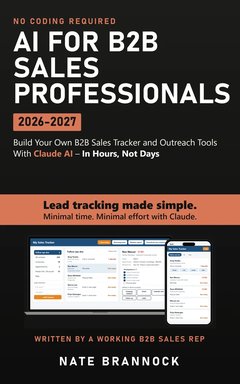
Build your own sales tracker with Claude
My book walks you through it step by step, no coding: follow ups that never slip, emails in your voice, account research in minutes and a weekly report in one click.
See the bookOne question
What's the scariest thing an AI tool has done to one of your deals, or saved you from? Hit reply and tell me. The best ones, with no names, might show up in a future issue.
See you next Monday,
Nate
P.S. The free follow up teardown is still open this month. Send your follow up emails through the short form at natebrannock.com/teardown and I'll send back a written report on where deals leak.